
For clinics and medical centres
Your clinic's WhatsApp in one inbox, for the whole front desk and every branch
Connect Wasl puts the reception number, and each branch's number, into one shared inbox. Each chat goes to one receptionist, the lead board shows which patients are still waiting for an answer, and an after-hours flow replies while the clinic is closed. Standard is SAR 349 a month for one number and unlimited team members.
Example: how a clinic with a busy front desk and two branches works with Connect Wasl
Where do booking requests get lost on a clinic's WhatsApp?
At the front desk, mostly. One number sits on one phone, the people answering it change with every shift, and each branch keeps its chats to itself. Here are five common gaps, and what closes each one.
Several staff on one number, and nobody knows who answered whom
The morning shift answers a patient, the afternoon shift answers the same patient again, or nobody does because each thought a colleague had it. In a shared inbox every chat is assigned to one person, and the Mine and Unassigned views show who is handling what.
Each branch has its own number, and you see none of them
The North branch phone and the South branch phone each hold their own chats, and you hear about them second hand. Connect both numbers to one inbox: you see every chat, and each branch manager sees their own branch only.
A patient asks about an appointment, hears nothing and books elsewhere
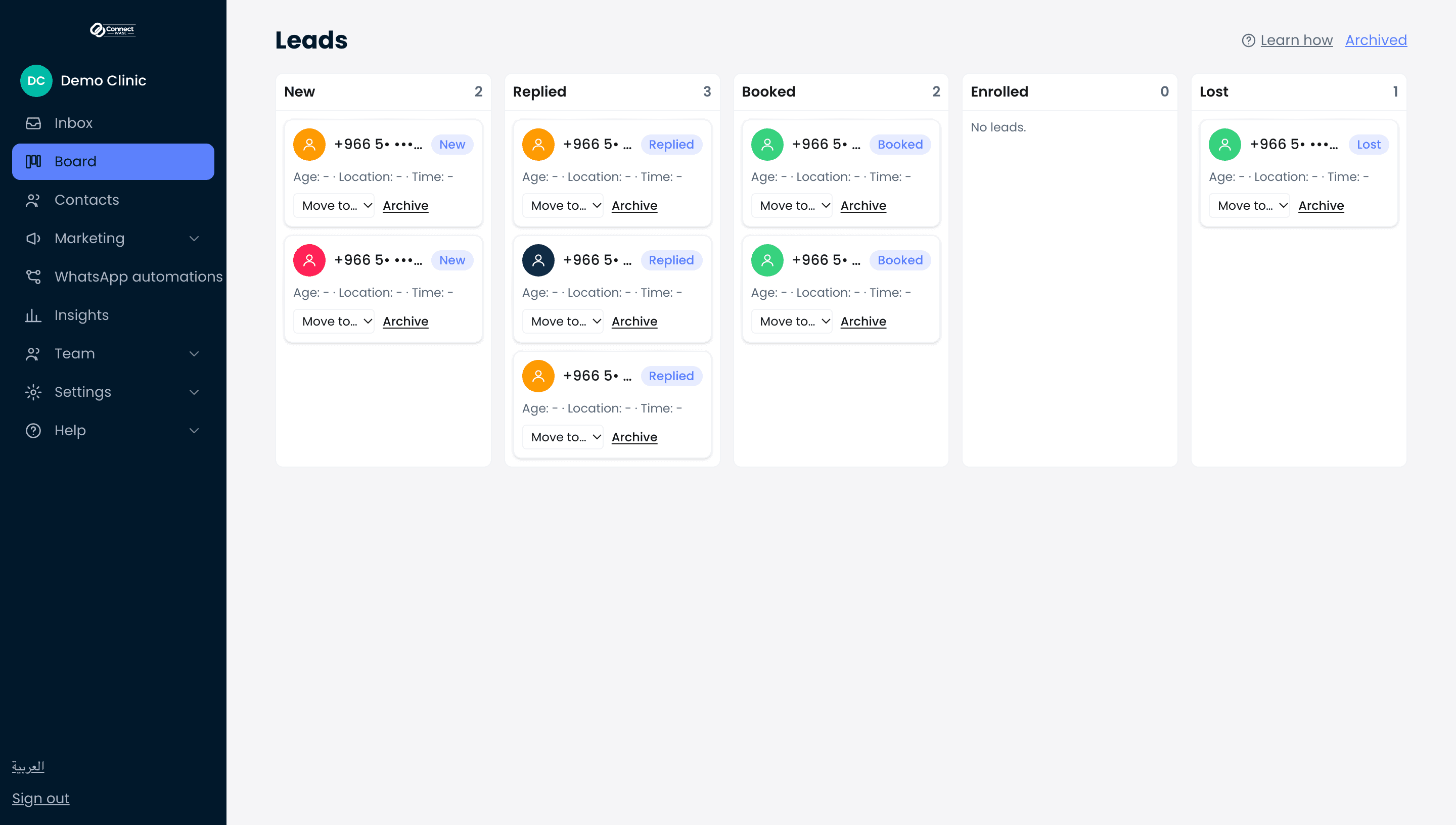
Someone asks whether there is a slot on Sunday, the message sinks under the rest of the day, and by the time reception scrolls back the patient has booked with another clinic. The lead board puts each enquiry in a stage such as New, Replied, Booked or Lost, so the ones still waiting stay in plain sight.
The reception phone runs the WhatsApp Business app, and nobody wants to lose it
Patients know that number and staff know the app. With WhatsApp Coexistence the number stays on the WhatsApp Business app on the reception phone, and the same chats also arrive in Connect Wasl, so reception keeps the phone and the team gets the inbox.
Messages keep coming after the clinic closes
Patients write in the evening to ask what time you open tomorrow or how to find you. An after-hours flow answers any message that arrives outside your business hours with your opening hours and directions, and whoever is on duty follows up from the Connect Wasl phone app.
How does one day at reception go with Connect Wasl?
An example clinic with one reception team and two branches, North and South. The screens are recreated from the app with demo data, and the phone numbers on them are masked.
Reception 1 and Reception 2 share one inbox
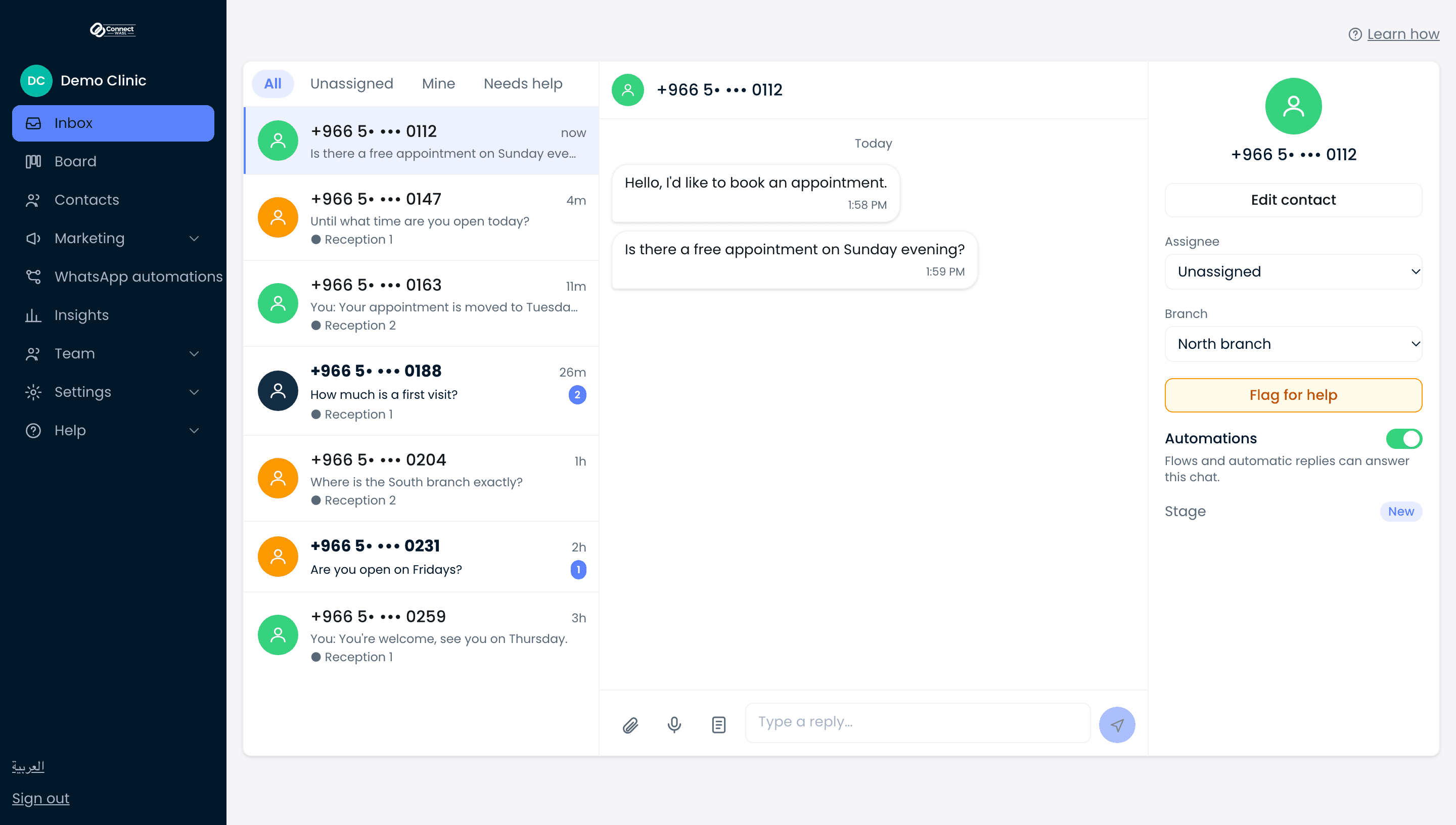
Every chat on the reception number arrives in one list. Each chat is taken by Reception 1 or Reception 2, so two people never answer the same patient, and new chats wait in Unassigned until someone picks them up.
Example screen with demo data and masked numbers A booking question, taken and answered
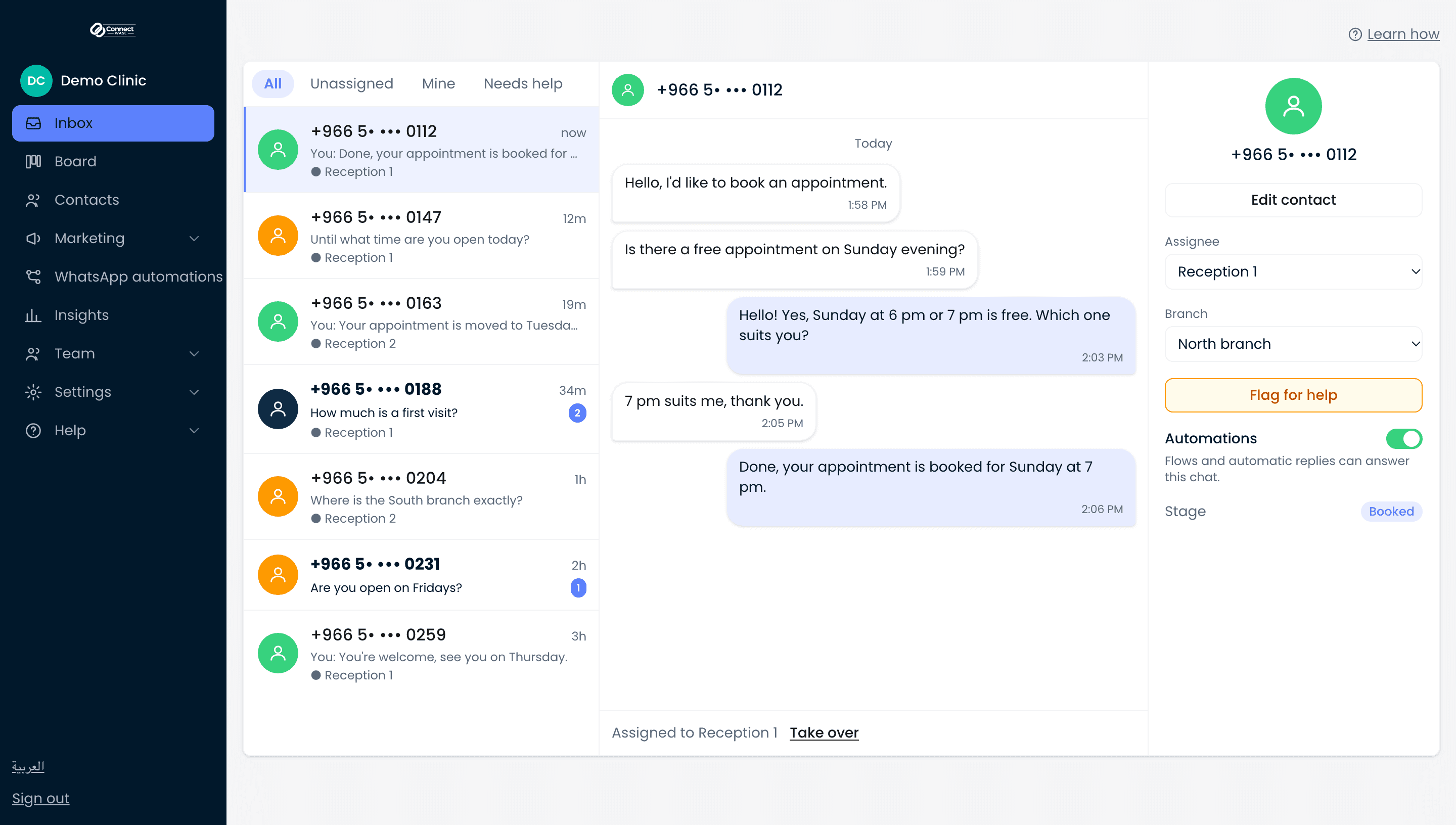
A patient asks for a Sunday evening slot. Reception 1 takes the chat and replies from the inbox with the times available, and Reception 2 sees it is taken and moves on.
Example screen with demo data and masked numbers The enquiry moves to Booked
Once the slot is agreed, Reception 1 moves the enquiry to Booked on the lead board. Anyone who opens the board sees which enquiries are booked and which still sit in New.
Example screen with demo data and masked numbers North and South branch numbers in one inbox
The clinic connects a second number for the South branch. Both branch numbers share one inbox, each chat marked with the number it came in on, and each branch manager sees their own branch only.
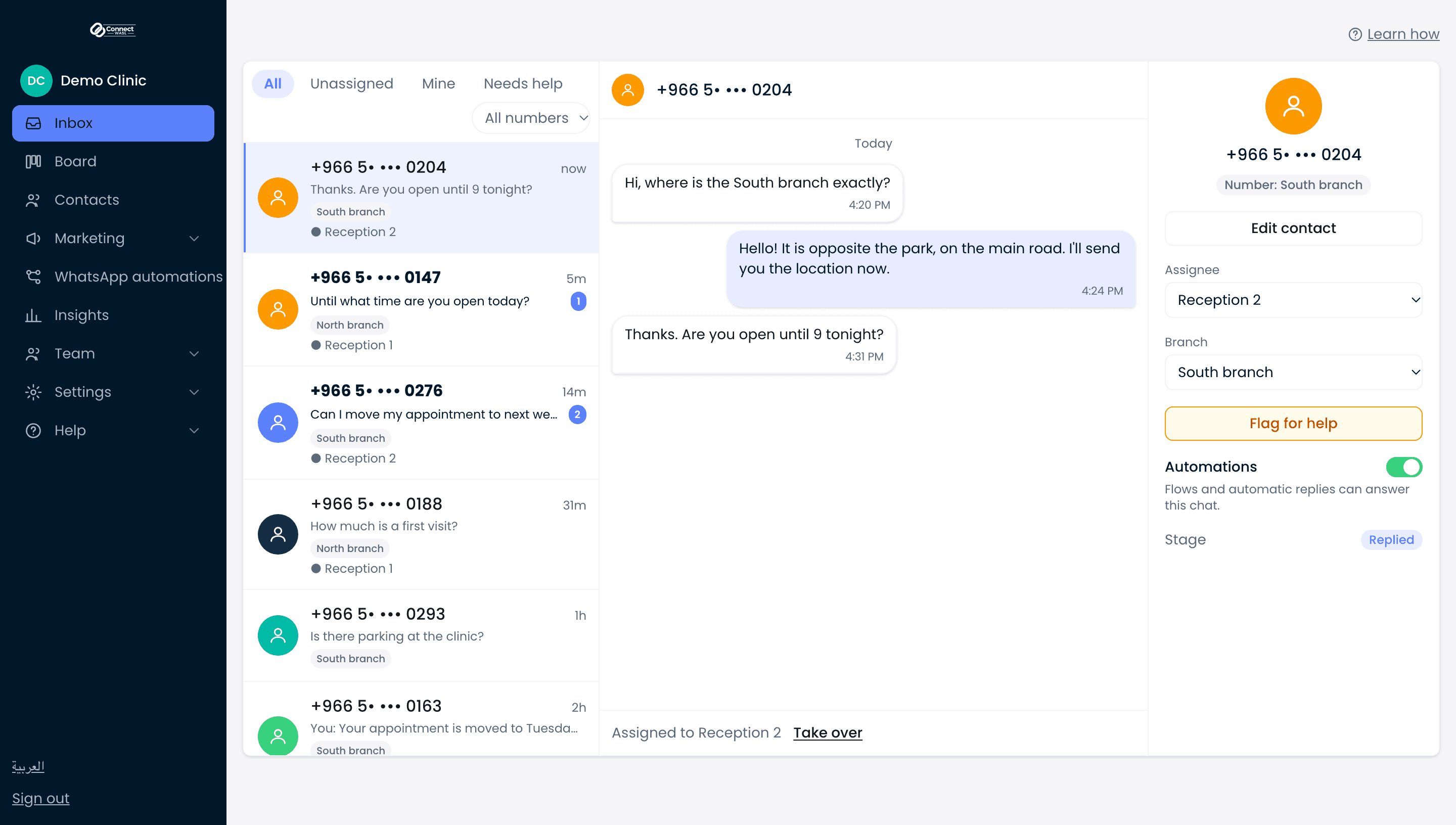
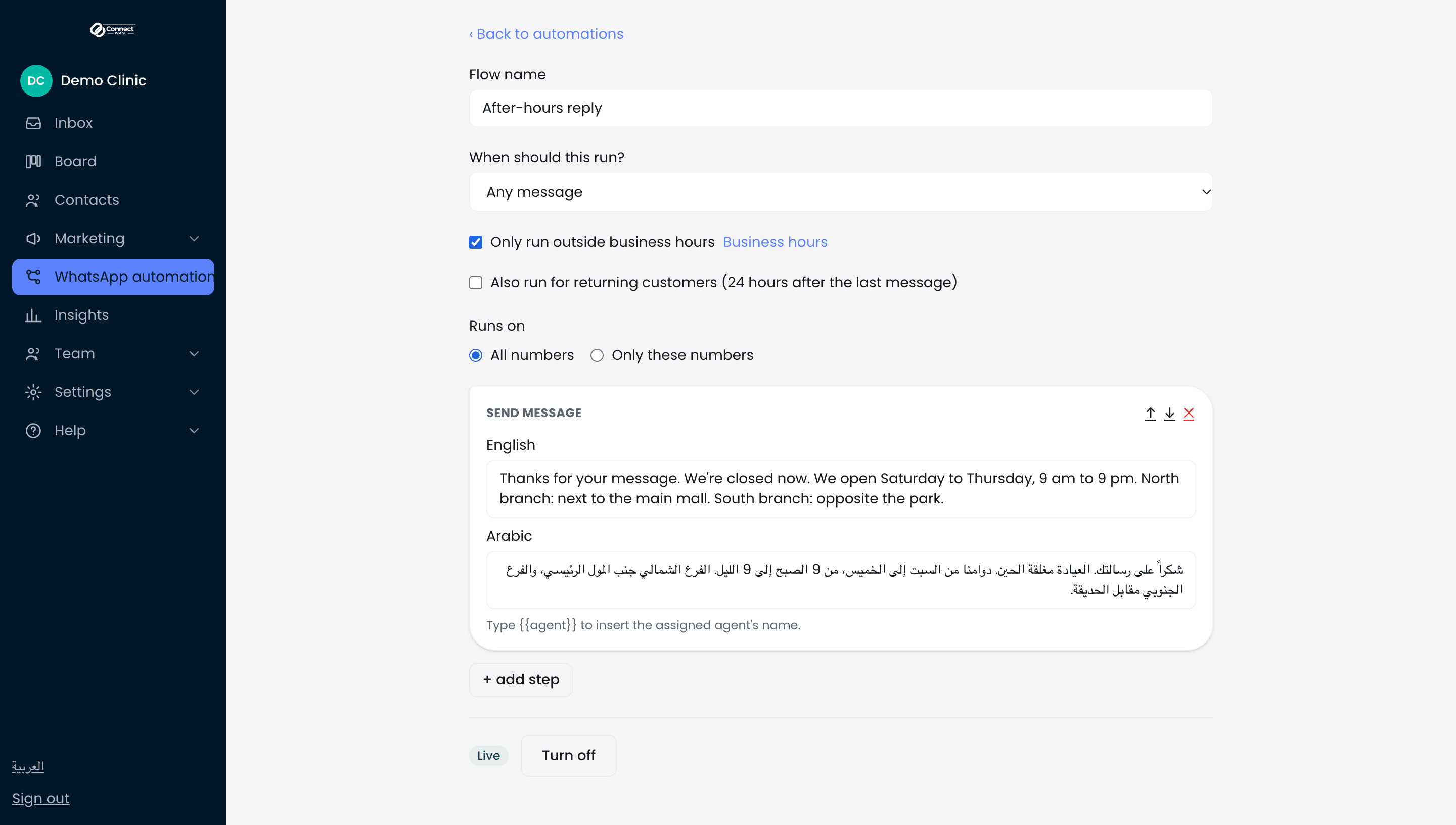
Example screen with demo data and masked numbers After closing time, the flow replies
The clinic set up an after-hours flow: it answers any message that arrives outside business hours with the opening hours and directions. Whoever is on duty picks the chat up later from the phone app.
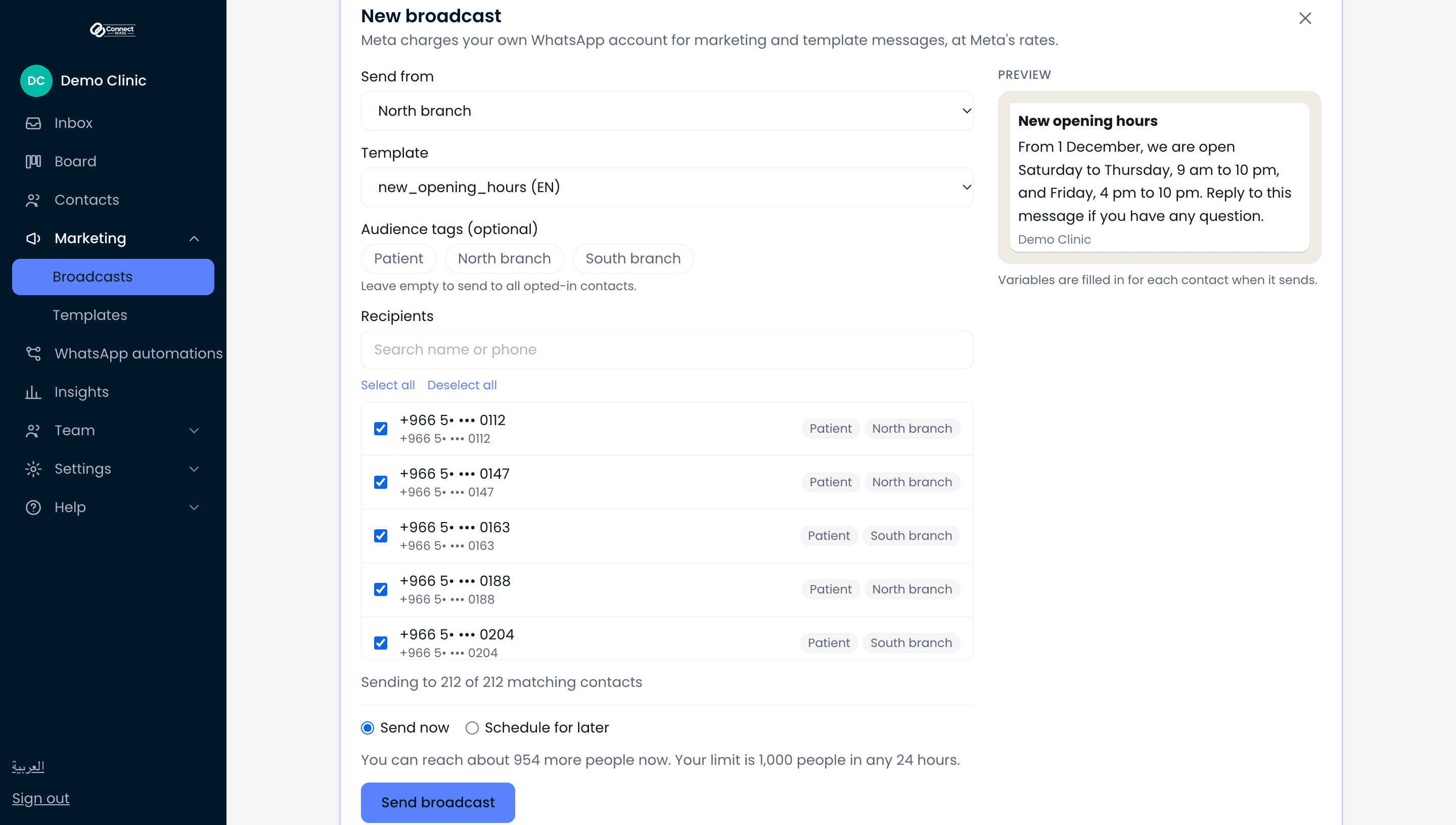
Example screen with demo data and masked numbers Patients hear about the new opening hours
The clinic now stays open later, and opens on Friday evenings. Reception announces the new opening hours to every opted-in contact with an approved template, and any replies land back in the inbox.
Example screen with demo data and masked numbers
What does the reception team work with?
Which plan does a clinic need?
Standard. It is SAR 349 a month for one WhatsApp number and unlimited team members, with the shared inbox, branches, automation flows, broadcasts and the lead board. A second branch number joins the same workspace and is billed per number. Book a call and we set up your reception number with you, or start the free trial yourself.
A medical group with several branches? Enterprise is SAR 1,499 a month with up to 10 WhatsApp numbers included. See Enterprise
What clinics ask before they start
Can the whole reception team answer the clinic's one WhatsApp number?
Yes. Every receptionist logs in to the same shared inbox, and each chat is assigned to one person, so two people do not answer the same patient. Standard includes unlimited team members with no fee per user.
Can we keep the WhatsApp Business app on the reception phone?
Yes, through WhatsApp Coexistence. The number stays on the WhatsApp Business app on the reception phone, and the same chats also appear in Connect Wasl for the rest of the team.
Can we send appointment reminders?
Not automatically. Connect Wasl does not send appointment reminders on its own. Reception can write to a patient from the inbox: a normal reply while the chat is inside WhatsApp's 24-hour window, or a message template approved by Meta after it, to a contact who opted in to messages from the clinic.
Can patients get medical advice through Connect Wasl on WhatsApp?
No. Use the clinic's WhatsApp for appointments and changes to them, opening hours, prices and directions. Questions about a patient's health belong with their doctor at the clinic, and Meta's WhatsApp Business Messaging Policy also restricts health messaging.
Can each branch have its own number?
Yes. Connect each branch's number to the same workspace. Every chat arrives in one inbox marked with its number, and each branch manager sees only their own branch's chats. On Standard each extra number is billed per number, and Enterprise suits groups with many branches, with up to 10 numbers included.
What happens to messages that arrive after the clinic closes?
Set up an after-hours flow that answers any message arriving outside your business hours with your opening hours and directions. The chat stays in the inbox, so whoever is on duty can answer it from the Connect Wasl phone app, or reception picks it up the next morning.
How much does it cost?
Standard is SAR 349 a month for one WhatsApp number with unlimited team members. Meta bills WhatsApp message fees to your own WhatsApp account, at its published rates. Book a call and we set it up with you, or start the free trial yourself.
Give your front desk one inbox
Book a short call and we connect your reception number with you, or start the free trial and look around first.